
WCAG
Accessible Design
Development
Testing
Remediation
eCommerce
WCAG
Build digitalexperiences thatwork formore people.
Accessibility is part of creating a better digital experience. We help organizations identify accessibility barriers, improve existing websites and applications, and build more accessible experiences from the start—across design, content, development, and interaction.
Experienced People Behind Every Build
AxcelersHub brings together a team with years of hands-on experience designing, engineering, optimizing, and supporting digital platforms across commerce and beyond.
10+
Years
Combined professional experience
100+
Projects
Delivered by our team throughout their careers
Commerce + Digital
Experience across eCommerce, SaaS, nonprofit and custom platforms
Senior-led Delivery
Direct access to experienced people working on your project
Design for different ways of using the web.
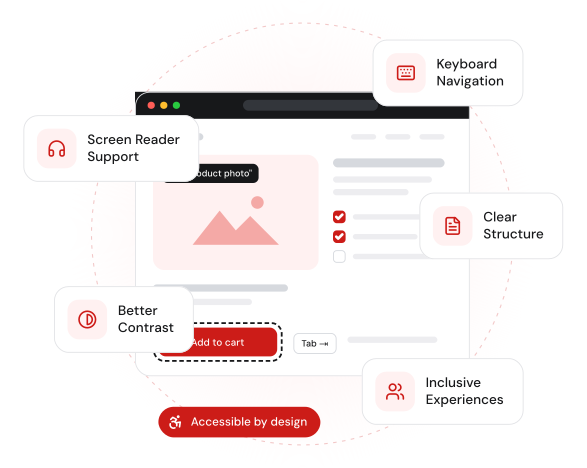
Not everyone experiences your website in the same way. People may navigate with a keyboard, use a screen reader or other assistive technology, zoom content, rely on captions, need stronger contrast, or interact with your experience differently than you expect.
We help reduce the barriers that get in their way.
01
Reach More People
Make your content, services, and products easier to access for a broader range of users.
02
Improve Usability
Clear navigation, structure, forms, and interactions can create better experiences for everyone.
03
Build More Responsibly
Make accessibility part of your design and development process—not an afterthought.
04
Reduce Accessibility Risk
Identify and prioritize accessibility issues before they become harder and more expensive to address.
Find the barriers. Improve the experience.
01
Accessibility Audits
02
Accessibility Remediation
03
Accessible Design
04
Accessible Development
05
eCommerce Accessibility
06
Ongoing Accessibility Support
Accessibility Audits
We combine automated testing with manual review across selected pages, components, and important journeys.
What’s included
Accessibility Remediation
We address issues across frontend code, components, content structure, forms, navigation, and interactions.
What’s included
Accessible Design
We consider contrast, hierarchy, typography, states, forms, navigation, interaction patterns, and responsive behavior.
What’s included
Accessible Development
Build websites and applications on stronger accessible foundations.
What’s included
eCommerce Accessibility
Review accessibility throughout the buying journey—from product discovery to checkout.
What’s included
Ongoing Accessibility Support
Keep accessibility in mind as your content, features, apps, plugins, and platform evolve.
What’s included
We combine automated testing with manual review across selected pages, components, and important journeys.
What’s included
We address issues across frontend code, components, content structure, forms, navigation, and interactions.
What’s included
We consider contrast, hierarchy, typography, states, forms, navigation, interaction patterns, and responsive behavior.
What’s included
Build websites and applications on stronger accessible foundations.
What’s included
Review accessibility throughout the buying journey—from product discovery to checkout.
What’s included
Keep accessibility in mind as your content, features, apps, plugins, and platform evolve.
What’s included
Audit. Prioritize. Improve. Validate.
A clear, practical process to create more accessible digital experiences.
01
Step 01
Understand
Identify your platform, audience, important journeys, goals, and existing constraints.
02
Step 02
Audit
Combine automated and manual testing to identify accessibility barriers.
03
Step 03
Prioritize
Organize findings based on user impact, severity, frequency, and implementation effort.
04
Step 04
Remediate
Improve design, code, content, components, and interactions.
05
Step 05
Validate
Retest changes and verify that identified issues have been addressed.
06
Step 06
Maintain
Help accessibility remain part of the process as your digital experience evolves.
Tools find issues.
People experience them.
Automated accessibility tools are useful, but they don’t tell the whole story. A page can perform well in an automated test and still be difficult to navigate with a keyboard, confusing through a screen reader, or frustrating during a complex interaction.
That’s why we combine different forms of testing.
Automated Testing
Quickly identify accessibility issues that tools can reliably detect.
Keyboard Testing
Check whether important functionality can be reached and operated without a mouse.
Screen Reader Testing
Evaluate how content, controls, states, and interactions are communicated through assistive technology.
Manual Review
Identify issues that automated tools cannot reliably evaluate.
Journey Testing
Test complete experiences—not just individual pages.
A framework for better accessibility.
The Web Content Accessibility Guidelines (WCAG) provide internationally recognized guidance for making digital experiences more accessible.
The guidelines are organized around four principles.
Perceivable
People should be able to perceive the information being presented.
Operable
People should be able to navigate and interact with the experience.
Understandable
Content and functionality should be clear and predictable.
Robust
Experiences should work reliably across browsers, devices, and assistive technologies.
Different platforms. Different challenges.
Shopify
WooCommerce
WordPress
React
Next.js
Custom Applications
Shopify
WooCommerce
WordPress
React
Next.js
Custom Applications
Shopify
WooCommerce
WordPress
React
Next.js
Custom Applications
Shopify
WooCommerce
WordPress
React
Next.js
Custom Applications
When Should You Consider an Accessibility Review
Don’t wait until slow becomes broken.
You’re Launching Something New
You’re Planning a Redesign
Your Website Has Evolved Over Time
You’re Preparing for an RFP or Accessibility Requirement
Users Have Reported Problems
Your eCommerce Experience Is Complex
You’re Building a Design System
You’re Not Sure Where You Stand
Projects That Speak for Themselves. Our Portfolio, In Action
Explore a selection of projects where strategic planning meets focused execution to solve real business challenges. Each one shaped by the specific problem it needed to solve.
AxcelersBlocks
AxcelersBlocks gives you 14 fully styled Gutenberg blocks and 18 ready-to-use patterns — with responsive controls, dynamic content, and fine-grained styling for every device. Lightweight, fast, and free.
Subscription Reports
Reports and CSV exports for WooCommerce Subscriptions and Memberships data.
DOM767
A non-profit organization website based in Dominica. Kanak contributed custom plugins and functionality for event management, job listings, news, announcements and a business directory.
GoodGuys Marketplace
A membership management website for GoodGuys members. Kowshik helped replatform from a custom-hosted site to WooCommerce — data migration, extending the membership and subscription plugins, and setting up the membership pages.
Synergy Sport
A custom Shopify Function that applies discounts based on customer tags — the discount uses the highest percentage tag attached to the customer.
Kid and Stitch
Designed first, now in development: a fully custom Shopify theme with a product configurator where customers upload their own patches.
01
UX & Design
Consider accessibility as part of how people understand and interact with an experience.
02
Frontend Engineering
Address semantic structure, keyboard interaction, focus behavior, ARIA, and dynamic interfaces.
03
WordPress & Commerce Expertise
Understand accessibility within real themes, plugins, apps, and purchasing journeys.
04
Component Thinking
Fix patterns at the component level so improvements can extend beyond one page.
05
Practical Remediation
Prioritize meaningful improvements rather than chasing an automated score.
06
Long-Term Thinking
Help accessibility become part of how your digital experience evolves.
Start where you are.
The right partnership depends on where you’re starting from. That might mean extending your team, building a product from scratch, or solving one defined problem.
Accessible Design & Development
Build accessibility into a new website, application, redesign, or component system.
01
First conversation
02
Discovery
03
Plan
04
Build
05
Launch & support
The process stays structured either way, from first conversation to delivery.
Trusted by the People We’ve Built For
We’re a new name, not new to the work. These words were written about our team on projects before AxcelersHub — the same people who will lead yours.
“
Kowshik was on the ball at every step of the project.
“Kowshik is beyond amazing. This was a very large project for our company and a crucial project as it dealt with our membership base. This project spanned several months and several phases. Kowshik was on the ball at every step of the project. It was more than just production, Kowshik would do in-depth research on potential different paths the project could take during the whole process and always guided our team in the right direction.”
JS
Jake Stansky
GoodGuys Marketplace
About Kowshik · CTO & Co-Founder
“
A skilled and reliable coder who delivers exceptional work.
“Kowshik is a skilled and reliable coder who delivers exceptional work. We’ve given him complex projects, and he’s excelled at them.”
LA
Lori Appleman
Redline Minds
About Kowshik · CTO & Co-Founder
“
He came in at the right time and saved this project.
“Mr. Ferdous was a real miracle. He came in at the right time and saved this project from being a total failure. His attention to detail and his ability to build on his existing skillset was a clear demonstration that I had selected the very best candidate for a very complex task. He is a natural Team Player and has exhibited some promising leadership skills. To never miss a deadline is a rare characteristic in a developer these days.”
MA
Muhammad Abdullah
DOM767
About Kanak · Project Manager
Jake Stansky
GoodGuys Marketplace
Lori Appleman
Redline Minds
Muhammad Abdullah
DOM767
Find the barriers. Build a better experience.
Whether you’re reviewing an existing website, preparing for a redesign, improving an eCommerce journey, or building something new, we’ll help you identify accessibility barriers and create a practical path toward a more inclusive digital experience.
Have an RFP?
Send it to contact@axcelershub.com